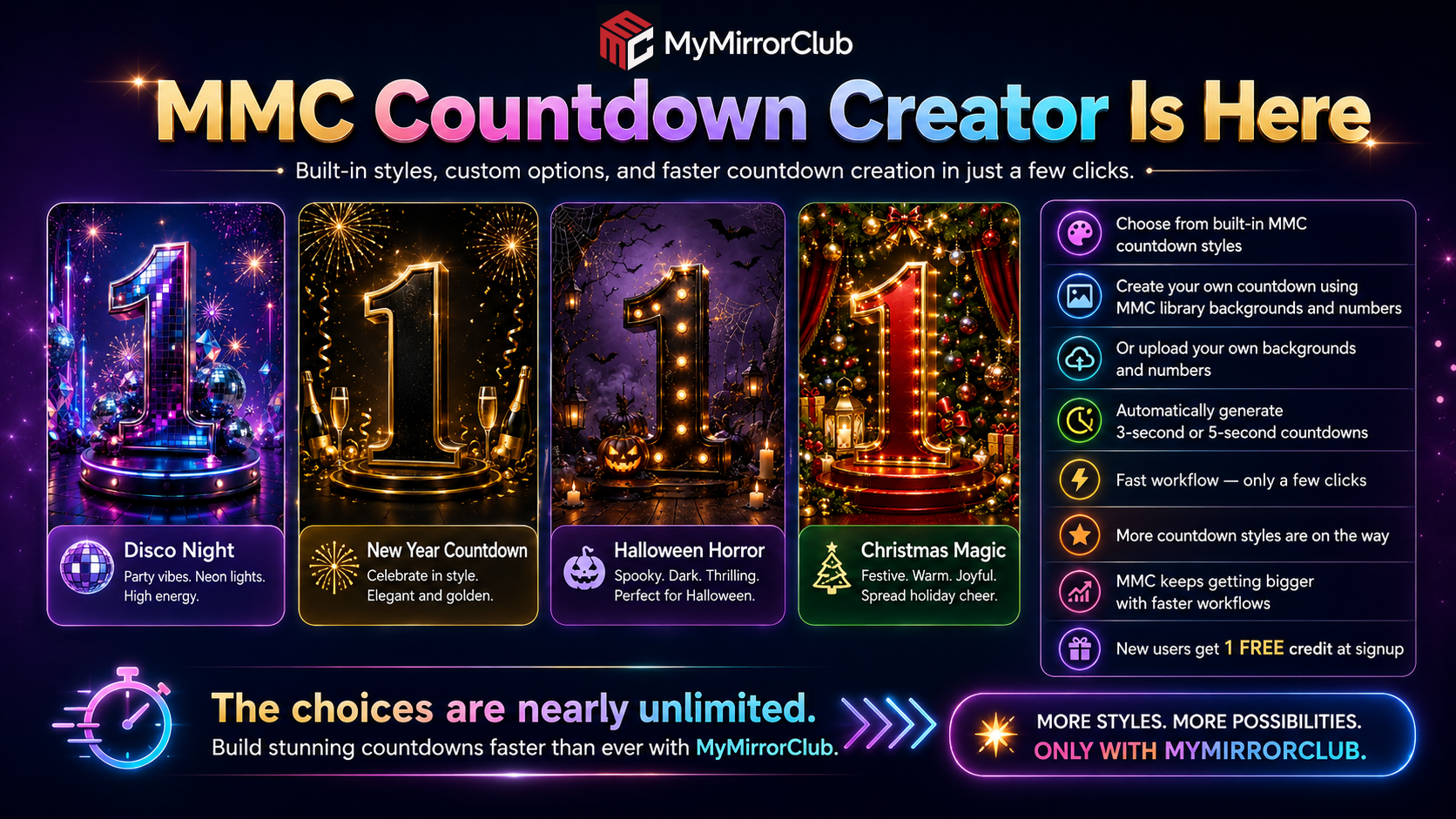
MyMirrorClub keeps getting bigger, but the goal is not to make the workflow more complicated. It is the opposite: more creative choices with fewer steps. The new MyMirrorClub Countdown Creator is a perfect example.
You can now build a complete professional countdown directly inside the MyMirrorClub editor in just a few clicks. Choose a ready-made MMC style, build your own combination from the MyMirrorClub library, or bring in your own background and transparent number graphics. MyMirrorClub then builds the countdown sequence and Timeline automatically.
The result can be a 3-second countdown using 3, 2, 1 or a 5-second countdown using 5, 4, 3, 2, 1. Instead of manually placing every number, creating every timing point and lining everything up one layer at a time, Countdown Creator handles the repetitive setup so you can get to the creative part faster.
Video Tutorial: Build a Countdown from Start to Finish
The tutorial below demonstrates both major Countdown Creator workflows: starting with a complete built-in MMC pack and then creating a custom countdown from MyMirrorClub library assets.
This entire video tutorial was created in the MyMirrorClub editor. The countdown examples, automatic Timeline workflow and finished tutorial were all created using MyMirrorClub tools.
Workflow One: Choose a Complete Built-in MMC Countdown Pack
The fastest way to get started is with a complete MyMirrorClub pack. In the tutorial, we begin with New Canvas, choose Create Countdown, select the canvas size and then choose Built-in MMC Pack.
For the demonstration we select Western Cowboy. The built-in collection already contains matching backgrounds and countdown numbers, so there is no need to hunt for individual pieces.
Next, choose either a 3-second or 5-second countdown. The tutorial uses 3 seconds. Click Create Countdown and MyMirrorClub loads the artwork into the editor and automatically creates the Timeline sequence.
That automatic Timeline is one of the biggest workflow improvements. The numbers are already in the correct order and timed as a countdown, so you can press Play immediately and preview the result.
25 Built-in Countdown Styles — and We Are Still Adding More
The built-in library is already growing quickly. Current MyMirrorClub Countdown Creator packs include:
- Baby Shower
- Birthday Bash
- Casino
- Christmas Magic
- Classic Chrome
- Corporate Event
- Disco Night
- Elegant Black & White
- Gold Luxe
- Graduation Celebration
- Halloween Horror
- Hollywood Red Carpet
- Kids Cartoon Party
- Neon Pulse
- New Year Countdown
- Princess / Royal
- Retro 80s
- Sports Stadium
- Tropical Beach
- Tropical Party
- Under the Sea
- Valentine's Day
- Wedding Elegance
- Western Cowboy
- Winter Wonderland
That is 25 built-in styles already available in the current collection, covering weddings, birthdays, holidays, casino events, sports, corporate events, tropical themes, elegant celebrations, kids events and more.
And this is not the end of the collection. We are actively working on more Countdown Creator styles. The goal is to keep expanding the built-in choices while keeping the creation process just as fast.
Workflow Two: Build Your Own Countdown from the MMC Library
You are not locked into complete packs. The second half of the tutorial shows how to mix and match MyMirrorClub assets.
Start with New Canvas, choose Create Countdown, select your canvas size and choose From MMC Library. The guided builder then walks through four simple steps:
- Countdown Length: choose a 3-second or 5-second countdown.
- Background: browse the MyMirrorClub library and select the background you want.
- Number PNGs: choose the matching transparent number images. For a 3-second countdown, select 3, then 2, then 1. For a 5-second countdown, use 5 through 1.
- Number Size: choose Medium, Large or Extra Large.
Once those choices are made, click Create Countdown. MyMirrorClub builds the project and Timeline automatically again.
This means one background can be paired with many different number styles. One set of transparent numbers can be reused across different backgrounds. You can build polished, playful, elegant, seasonal, corporate or completely unexpected combinations without having to start from scratch.
Use MMC Assets, Your Own Assets, or Mix Both
The creative choices go well beyond the built-in pack list. Countdown Creator is designed around flexibility.
- Use a complete built-in MMC pack when you want the fastest ready-to-go option.
- Build from the MyMirrorClub library when you want to choose your own background and transparent number set.
- Use your own assets when you already have a branded background, custom event artwork or your own transparent countdown numbers.
- Mix and match to create a countdown that fits the event instead of being limited to one preset look.
A wedding can use a soft elegant background with gold numbers. A corporate activation can use a branded background with clean minimal numbers. A Halloween event can go dark and spooky. A New Year's party can use fireworks and luxury gold. A photo booth operator can even create client-specific countdown assets and use them directly in the editor.
The choices are nearly unlimited.
Why Automatic Countdown Creation Matters
A countdown sounds simple until you build one manually. You need a background, several number images, consistent sizing, correct placement, layer timing and a sequence that plays in the right order. Repeating those steps for different canvas sizes or client themes takes time.
Countdown Creator turns that setup into a guided workflow. You make the creative decisions; MyMirrorClub handles the repetitive project construction.
This is the direction MyMirrorClub continues to move toward: more tools, more assets and more creative freedom, but faster workflows.
MyMirrorClub Is Becoming a Bigger Creative Workspace
Countdown Creator is not a separate disconnected tool. Once the countdown is generated, it is already inside the MyMirrorClub editor and Timeline, ready to preview and continue editing.
You can continue working with the same editor you use for photo booth templates and animations. That means the countdown can become part of a larger creative project instead of being something you have to build in another program and import later.
As MyMirrorClub grows, we are continuing to focus on the same idea: reduce repetitive work, make advanced creative tasks easier and give creators more ways to build without slowing them down.
FREE to Try — New Users Get 1 Free Credit
You can try MyMirrorClub for free. New users receive 1 free publishing credit at signup, so you can create an account, open the editor and experience the workflow yourself.
Create your free MyMirrorClub account and start creating. You can also open the MyMirrorClub editor, explore the MyMirrorClub library, browse photo booth templates and discover photo booth animations.
FAQ: What is MyMirrorClub Countdown Creator?
Countdown Creator is a guided workflow inside the MyMirrorClub editor that automatically builds a 3-second or 5-second countdown from a complete built-in pack, selected MMC library assets or your own custom artwork.
FAQ: Can I create both 3-second and 5-second countdowns?
Yes. A 3-second countdown uses 3, 2, 1, while a 5-second countdown uses 5, 4, 3, 2, 1.
FAQ: Does MyMirrorClub create the Timeline automatically?
Yes. Countdown Creator places the selected countdown assets into the editor and creates the countdown Timeline automatically so the sequence can be previewed immediately.
FAQ: Can I choose the size of the countdown numbers?
Yes. In the MMC library workflow you can choose Medium, Large or Extra Large for the countdown number size.
FAQ: Do I have to use a complete built-in pack?
No. Built-in packs are the fastest option, but you can also choose a background and individual number PNGs from the MMC library or work with your own compatible assets.
FAQ: Are more countdown styles coming?
Yes. MyMirrorClub is continuing to build additional Countdown Creator styles and expand the available creative options.
FAQ: Can I try MyMirrorClub for free?
Yes. New users receive 1 free publishing credit when they sign up, giving them a chance to try the editor and creative workflow.
More styles. More possibilities. Faster workflows. That is where MyMirrorClub is heading — and Countdown Creator is another step toward making professional photo booth content easier to create in just a few clicks.