A convention photo booth works best when it feels like part of the event brand, not an unrelated attraction placed beside the booth. Whether you are preparing for a trade show, conference, expo, sponsor activation, product launch or company anniversary, the design has to do two jobs at once: leave enough room for a great guest photo and make the company or event recognizable when that image is printed or shared.
If you are looking for editable commercial designs, start with our convention and trade show photo booth templates. This guide focuses on the ideas and branding decisions behind a successful corporate activation, including a real MyMirrorClub Custom Request created for a 10-year anniversary event project.
A real corporate photo booth project: one campaign, three matching assets
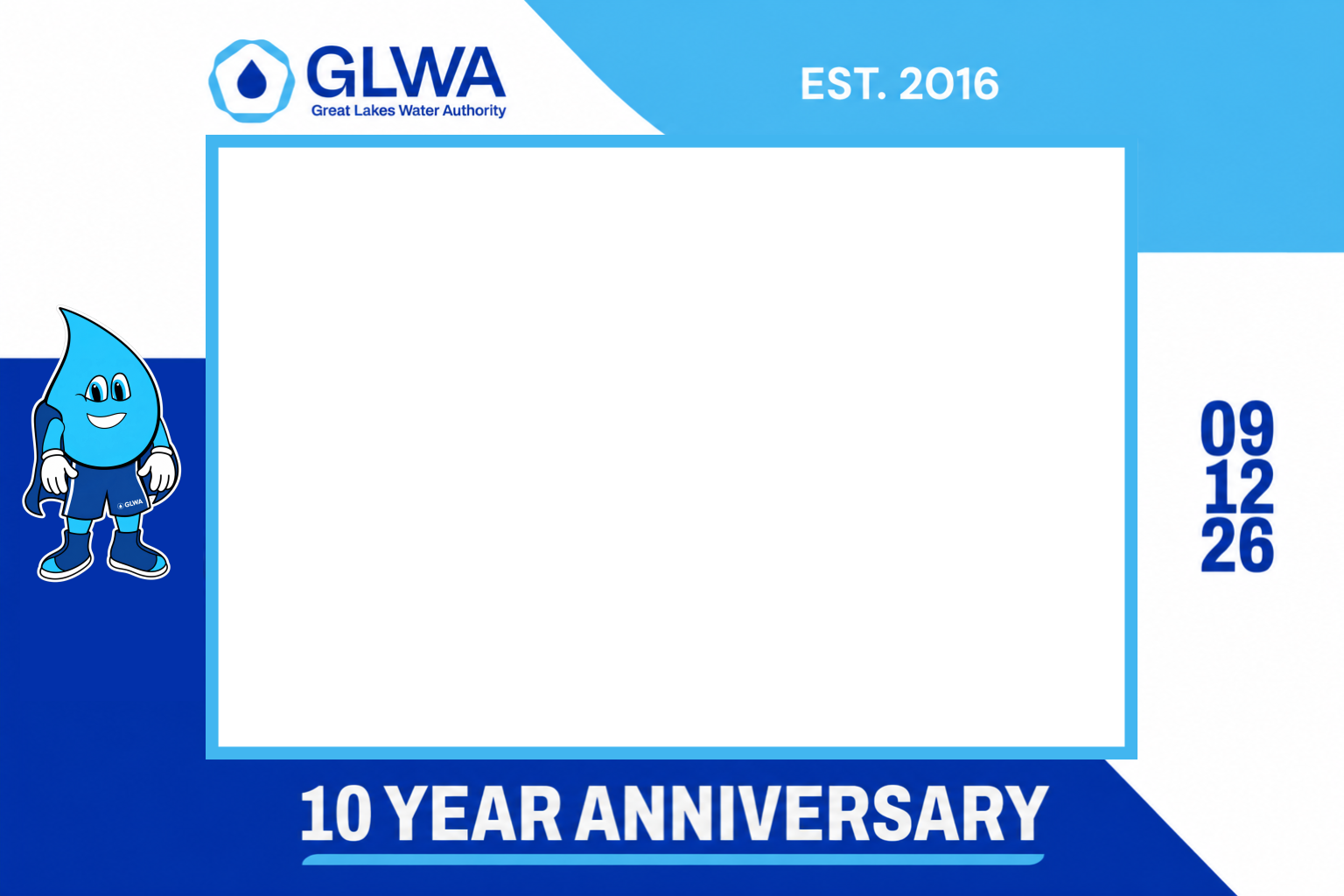
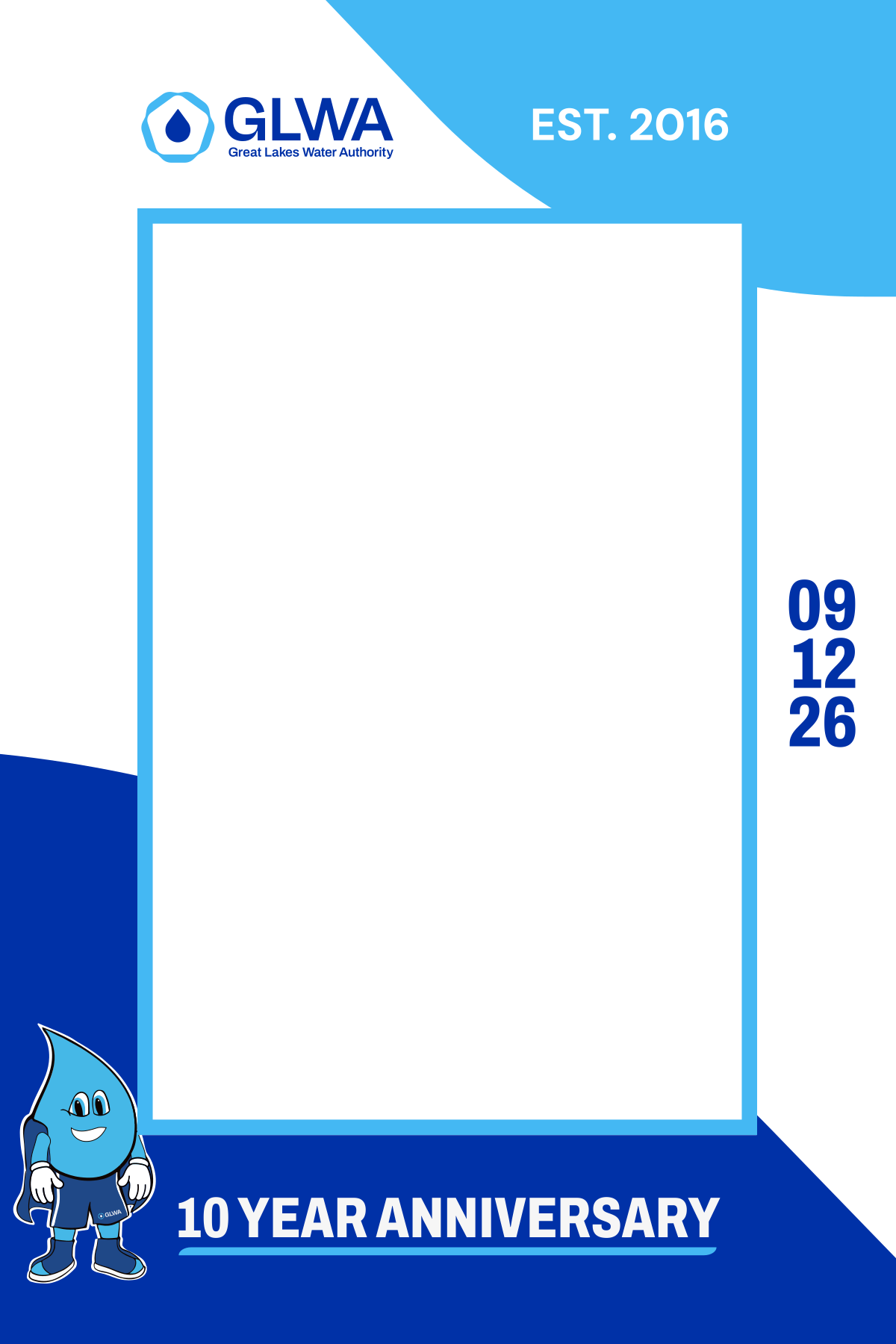
A MyMirrorClub member asked our Custom Requests service to prepare coordinated photo booth assets for a Great Lakes Water Authority 10-year anniversary event project. Instead of treating each file as a separate design, the project used the same corporate colors, logo treatment, anniversary message, event date and mascot across a landscape template, a portrait template and a matching animation.
The examples below are actual assets prepared through a member Custom Request, not stock mockups or generated examples. Company names and marks remain the property of their respective owner.
Matching motion can make the booth package feel more complete
The project also included a short branded animation. Motion is useful when the photo booth experience includes welcome screens, prompts, attract screens, sharing stations, mirror booth content or social clips. The important part is not adding animation for its own sake; it is carrying the same event identity into another part of the guest experience.
For more motion options, browse photo booth animations or combine static and animated elements inside the MyMirrorClub Editor.
1. Start with one recognizable brand system
The easiest way for a convention photo booth to look professional is to choose a visual system before designing the individual assets. That usually means identifying the approved logo, primary and secondary brand colors, event name, campaign line, date, sponsor requirements and any recognizable illustration or mascot.
When those elements stay consistent, a landscape print, portrait layout, 360 overlay and animation can all look related even though their shapes are completely different. This is especially useful at conferences and expos where attendees may encounter the same brand in several places during the day.
2. Protect the guest-photo area
Corporate branding matters, but the guest is still the center of the photo booth image. Logos, QR codes, sponsor marks and anniversary copy should frame the capture rather than cover the people using it.
In the GLWA anniversary example, the large black area represents the protected photo region. The brand information is positioned around that space, giving the design a strong identity while preserving a clean area for the actual photograph.
This principle is useful for almost any trade show or convention photo booth design: decide where people need to appear first, then build the branding around them.
3. Adapt the layout instead of simply resizing it
A landscape design and a portrait design should feel like the same campaign, but they do not need to be identical. Different aspect ratios change the amount of room available for logos, dates, slogans, QR codes and guest photos.
The better approach is to preserve the design language while adjusting the composition. Keep the same colors and recognizable elements, then move or resize them so each output works naturally in its own format.
4. Use anniversary and milestone messaging as part of the design
Company anniversaries are a natural fit for photo booths because the guest image becomes part of the celebration. A milestone such as a 10th, 20th, 25th or 50th anniversary can be treated as a major design element rather than a small line of text.
For the real project shown here, the 10 YEAR ANNIVERSARY message is intentionally large and easy to recognize. That makes the final photo useful both as a guest keepsake and as branded event content after it is shared.
5. Give sponsors and partners a clear hierarchy
Trade shows and conferences often involve more than one logo. The event organizer, presenting sponsor, booth sponsor and partner brands may all need visibility. The solution is not to make every logo equally large. Instead, decide the hierarchy before building the template.
- Use the primary event or company identity in the strongest position.
- Place presenting sponsors in a consistent secondary zone.
- Keep partner logos readable without crowding the guest photo.
- Use approved clear space around logos whenever brand guidelines are provided.
For projects focused heavily on company identity, see our branded photo booth templates and corporate photo booth templates.
6. Use QR codes only when they have a clear purpose
A QR code can be useful at a convention when it leads to something valuable: a product page, event offer, lead form, survey, digital gallery, contest, download or follow-up experience. The code should be large enough to scan and placed where it does not compete with faces or critical branding.
Before the event, test the QR code from the actual printed or displayed size rather than assuming it will work because it scans on a computer monitor.
7. Build for the event goal, not only the event theme
Two convention booths can use the same color palette and still need very different photo booth layouts. Ask what the booth is supposed to accomplish:
- Brand awareness: make the company identity highly recognizable.
- Lead generation: include a clear next step or QR-code destination.
- Product launch: make the product name or campaign line easy to understand.
- Sponsor activation: protect sponsor visibility and approved logo hierarchy.
- Company anniversary: make the milestone the visual centerpiece.
- Conference community: give attendees an event-specific keepsake they want to share.
8. Coordinate print templates, overlays and animations
A stronger activation can extend the same creative direction beyond the main print. Depending on the booth setup, you might create a matching photo strip, digital overlay, 360 photo booth template, animation, mirror booth screen or background.
This is where one good brand system saves time. Once the core colors, logos and hierarchy are established, each additional asset becomes an adaptation instead of a brand-new project.
9. Keep the design readable after the event
Many convention images are viewed later on a phone, social feed or online gallery. Fine print and tiny sponsor marks that look acceptable on a large monitor may disappear when the image is reduced. Test the final design at smaller sizes and make sure the important event identity is still recognizable.
10. Use custom design help when the event has strict brand requirements
Editable templates are useful when you want to handle the changes yourself. But some corporate projects come with exact brand guidelines, several output sizes or a request for a complete matching set. In those cases, a MyMirrorClub Custom Request can be used to prepare the assets around the member's supplied requirements.
Open My Account for Custom Requests
Convention photo booth ideas that can work across industries
The best idea depends on the event, but these directions can be adapted to many convention and corporate settings:
- Milestone wall: build the booth around a company anniversary or major achievement.
- Product reveal: frame the capture with a new product name, launch message and campaign graphics.
- Conference identity: use the event logo, year, location and theme so every shared image is immediately recognizable.
- Sponsor spotlight: create a balanced co-branded layout for presenting sponsors and partners.
- Expo booth finder: include the exhibitor booth number or campaign destination as part of the design.
- QR follow-up: send attendees to a landing page, offer, survey or digital gallery after the photo.
- Matching motion: extend the same visual package into a short animation for screens or social sharing.
Where to start in MyMirrorClub
If you are building the design yourself, begin with the Convention & Trade Show Photo Booth Templates page and choose the output that matches the booth software or event setup. From there you can customize available layers in the MyMirrorClub Editor or use Custom Requests when the project needs a more specific design package.
For broader business-event inspiration, also explore Corporate Photo Booth Templates, Corporate Event Overlays and Photo Booth Animations.
FAQ: What should a convention photo booth design include?
A useful convention photo booth design normally includes a clear event or company identity, enough protected guest-photo space, approved logos, readable campaign messaging and any required sponsor, booth-number or QR-code information.
FAQ: Should landscape and portrait templates use the same design?
They should use the same visual identity, but the composition should be adapted to each format. Keep the brand colors, logos and campaign style consistent while repositioning elements so the guest-photo area works naturally in landscape or portrait orientation.
FAQ: Can MyMirrorClub create a custom corporate photo booth package?
Yes. Members can use Custom Requests when they need design work prepared around supplied event requirements. A project can include multiple coordinated assets such as landscape and portrait templates plus matching animation or other booth graphics.
FAQ: Does MyMirrorClub rent photo booths for conventions?
No. MyMirrorClub provides digital templates, overlays, animations, online editing tools and design services for photo booth owners and event teams. It is not a local photo booth rental company.
Build the convention booth around the brand.
Browse convention-ready designs, customize the elements you need, or send a Custom Request when the event requires a coordinated corporate package.