An editable photo booth template is more than a flat image with text on top. The value comes from being able to change the details that clients often update: names, dates, colors, wording, logos, sponsor areas, and sometimes the layout itself.
This guide explains what editability means in practical terms for photo booth owners. For proof of the actual MyMirrorClub workflow, see Are photo booth templates editable online?, which shows an editable template open in the editor with visible layers and AI Helper finding editable templates.
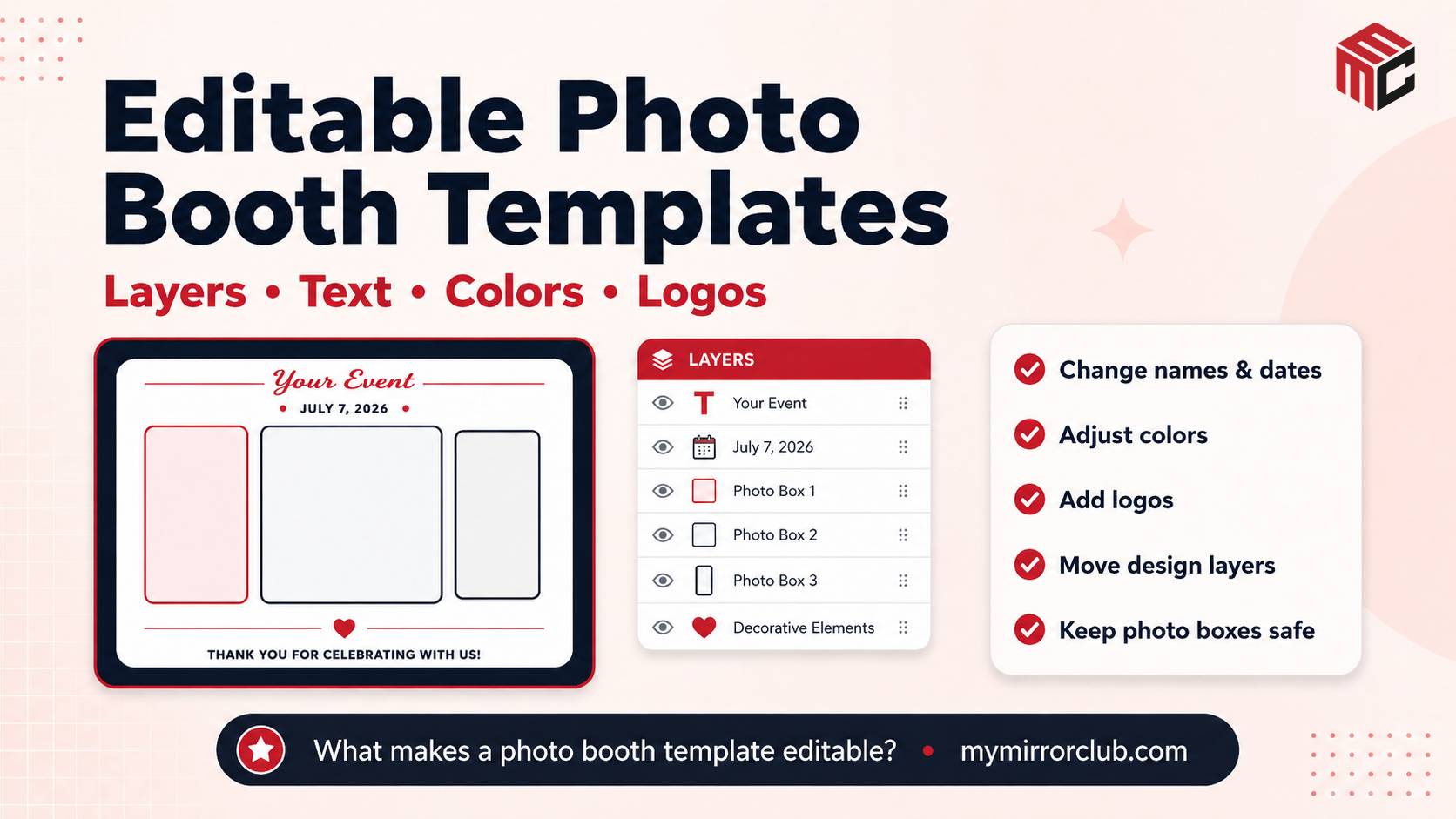
Editable text
Editable text is usually the most important feature. Clients may change names, dates, hashtags, venue wording, sponsor names, or event titles close to the event. If the text can be edited online, the operator can make those changes faster.
This is useful across wedding templates, birthday templates, corporate templates, and branded templates.
Editable colors
Color editing helps a template match the event palette. Weddings may need blush, ivory, black, gold, or sage tones. Corporate events may need brand colors. School and party events may need brighter, more playful combinations.
When color can be adjusted, one strong layout can support many different client looks without requiring a totally new design.
Editable logo and sponsor areas
Logo areas matter for corporate events, brand activations, trade shows, fundraisers, and sponsor-heavy events. A good editable template should allow the operator to place logos cleanly without covering guests or making the final output feel crowded.
For logo-first jobs, compare corporate event overlays, branded templates, and trade show templates.
Editable layout elements
Some designs need more than text changes. Operators may need to move decorations, resize logo zones, adjust photo openings, or simplify the design for better readability. Layout flexibility helps when the client changes direction late.
If the main question is output size, use the template size guide before editing. A design can be editable but still wrong for the final print, overlay, strip, 360 video, or mirror booth screen.
Editable does not mean anything goes
Editability is powerful, but the operator still needs to preserve readability, safe zones, and balance. Text should not cover faces, logos should not overpower the guest photo, and colors should keep enough contrast for printing or phone viewing.
Editable template checklist
- Can the event name, client name, date, hashtag, and venue wording be changed?
- Can colors be adjusted to match the wedding, brand, party, or holiday theme?
- Can logos or sponsor marks be placed without covering the guest photo?
- Does the layout still fit the final output format?
- Can the operator find a better starting point quickly through Search Library?
FAQ: What makes a photo booth template editable?
A template is editable when key design elements such as text, colors, logos, and layout parts can be changed instead of being locked into one flat image.
FAQ: Why are layers important in editable templates?
Layers help separate text, graphics, photo areas, logos, and decorations. This makes it easier to change one part of the design without damaging the rest of the layout.
FAQ: Are editable templates better for client changes?
Yes. Editable templates are helpful when clients change names, dates, spelling, colors, sponsors, or logo files before the event.
FAQ: Can editable templates still print wrong?
Yes. Editability does not replace output planning. The template still needs to match the correct size, safe zone, booth software, printer layout, or sharing format.