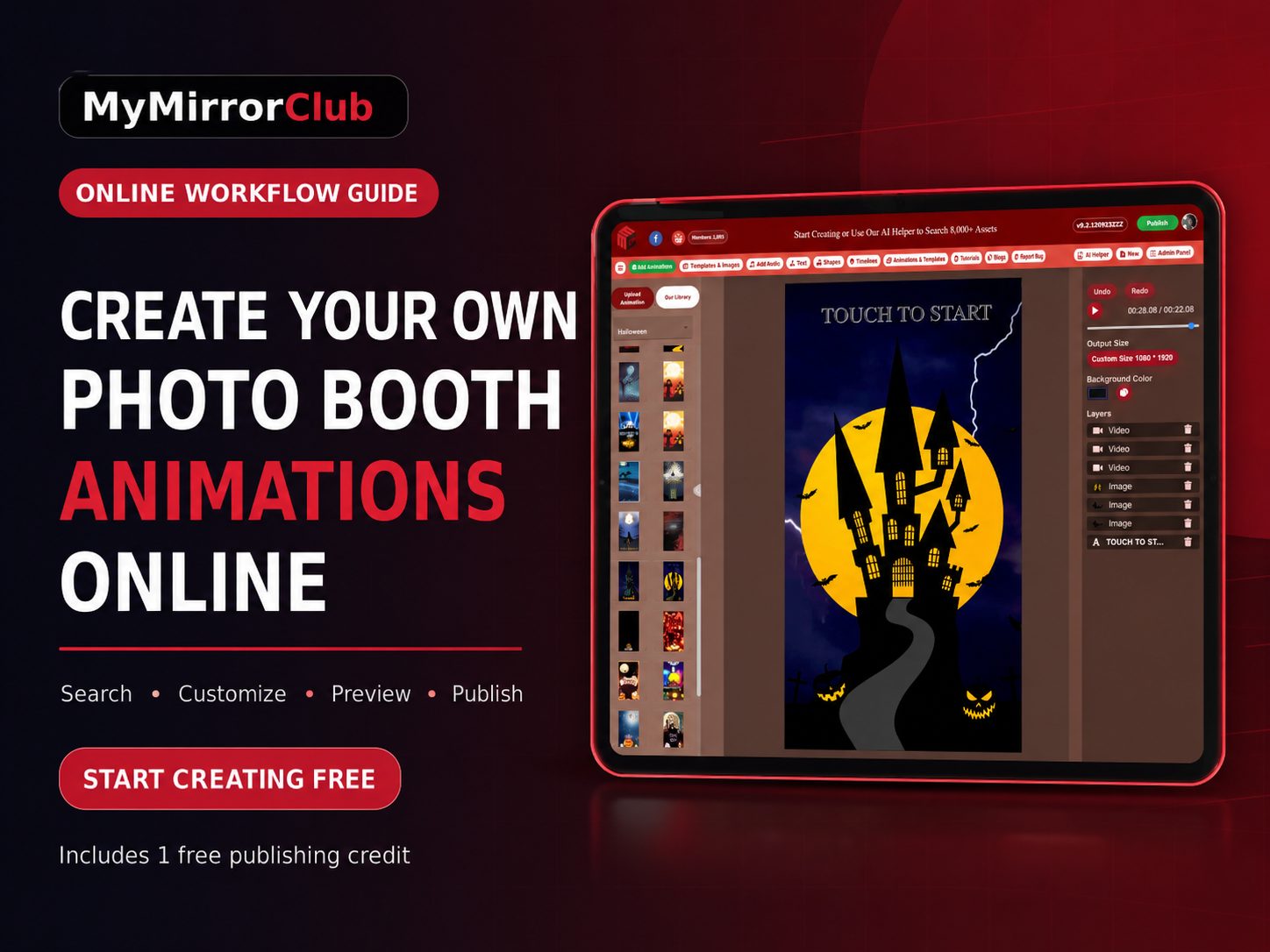
Creating your own photo booth animation does not mean starting with a blank video timeline. MyMirrorClub lets photo booth owners search ready-made animations, open a design in the online editor, customize the editable parts, preview the motion and publish a finished file for an event.
The fastest path is to start creating free, explore animations through the Search Library, open the MyMirrorClub Editor and use your included free publishing credit when the design is ready. No credit card is required to create the account, browse the library, use the editor or try the AI Helper.
What does "create your own photo booth animation" mean?
For most photo booth businesses, creating an animation should not require rebuilding every transition, sparkle, countdown or moving element from the beginning. A faster workflow is to start with a professionally prepared animation and personalize the editable parts for the client or event.
Depending on the design, you may be able to update items such as event wording, names, dates, colors, logos, sponsor information or other editable layers. The animation already provides the motion and visual direction, while the editor helps you make it fit the event.
This approach is especially useful when a client needs a quick revision, when several events are scheduled close together, or when you want a polished result without learning advanced motion-design software.
Step 1: Decide what kind of animation you need
Start by identifying where the animation will be used. Different booth experiences need different types of motion content.
- Photo booth animations: moving intros, prompts, countdowns, celebration screens and other visual moments used during the guest experience.
- Mirror booth animations: welcome, tap-to-start, pose, countdown, approval and sharing moments designed for mirror booth workflows.
- 360 booth motion graphics: video-first overlays and animated visual elements intended for 360 video experiences.
- Event-specific animations: wedding, birthday, Halloween, Christmas, corporate, school, prom and other themed motion designs.
Knowing the intended booth moment makes the search faster and helps you choose the right design. The commercial Photo Booth Animations page explains the broader animation category, while the Search Library is the fastest place to find individual designs.
Step 2: Search the animation library
Go to mymirrorclub.com/search and choose Animations. Search with the words a client would naturally use, such as:
- Halloween animation
- Wedding animation
- Birthday countdown
- Corporate logo animation
- Christmas mirror booth screen
- 360 party animation
MyMirrorClub provides access to more than 8,000 creative assets, including 6,000+ editable templates and 2,000+ ready animations. The AI Helper inside the editor can also help narrow the library when you describe what you are trying to create.
Someone who searches "find me a Halloween animation" should be able to move directly from the request to Search, Signup, Editor or Bundles without reading through unrelated articles first. That is why the Search Library is the main action path for finding a specific animation.
Step 3: Create a free account
Registration requires your name, email address, password and password confirmation. A credit card is not required.
A new account gives you access to the complete template and animation library, the online editor, the AI Helper and one free publishing credit. That credit can be used to publish either one template or one animation.
Start Creating Free when you are ready to load a design and test the workflow.
Step 4: Open the animation in the editor
After choosing an animation, open it in the MyMirrorClub Editor. Review the available layers and controls before making changes. The exact editable elements depend on the selected animation.
A practical editing checklist is:
- Confirm the animation size and intended booth use.
- Replace sample wording with the real event information.
- Add the client logo or sponsor branding when the design supports it.
- Adjust editable colors or text so the animation matches the event.
- Check that important text stays readable throughout the motion.
- Preview the animation before publishing.
The goal is not to change every moving part. The goal is to take a strong starting design and make the client-facing information accurate, readable and event-specific.
Step 5: Preview the motion carefully
Animation previews should be checked from beginning to end. Do not judge the design from a single still frame.
Watch for:
- Text that appears too briefly
- Logos placed too close to an edge
- Colors that reduce readability
- Important information covered by moving elements
- A design that does not match the booth software moment
A full preview helps catch small issues before the file is used at a live event.
Step 6: Publish and keep the project in your Workspace
When the animation is ready, use a publishing credit to create the finished output. Your first publishing credit is included with the new account.
The published work is also saved in your Workspace so you can return to the project for future editing. This is helpful when a client changes a date, replaces a logo or books another event with similar branding.
After the free credit, publishing an additional individual template or animation currently costs $5. Membership is optional.
When should you buy one animation and when should you buy a bundle?
Use Search when you need one specific animation for one event. It is the fastest route for a request such as "find me a Halloween animation" or "show me a wedding countdown."
Use Bundles when you want a coordinated set of templates or animations for a season, event category or repeated client workflow. Bundles can save time when several related designs will be needed.
You can also begin in the Editor when you already know you want to customize and preview a design before publishing.
Animation ideas for common events
Halloween
Search for spooky countdowns, haunted welcome screens, pumpkin motion graphics, horror prompts or family-friendly Halloween animations. Use Search first, then compare seasonal bundles if you need several coordinated options.
Weddings
Look for elegant welcome screens, couple-name animations, monograms, romantic transitions and reception prompts. Keep names and dates large enough to read during the motion.
Birthdays
Birthday animations can include names, ages, milestone numbers, confetti, balloons and celebration sequences. Choose a style that fits the guest of honor rather than using one generic design for every age.
Corporate events
Corporate animation searches should focus on logos, sponsor recognition, brand colors, launch messaging and trade-show visibility. Keep the movement polished and make the company information easy to read.
Common mistakes to avoid
- Starting with the wrong format: confirm whether the file is for a photo booth, mirror booth or 360 workflow.
- Using a blog as the shopping path: when you are ready to find a design, go directly to Search, Signup, Editor or Bundles.
- Editing before reviewing the full animation: watch the complete preview first.
- Adding too much text: motion graphics need short, readable wording.
- Skipping the final preview: small placement issues can become more noticeable when elements move.
- Forgetting future edits: keep the project in Workspace so later client changes are easier.
A faster workflow for photo booth owners
The practical workflow is simple: search for an animation, create your free account, customize it in the editor, preview the full motion and publish when it is ready. When you need several related designs, compare the available animation and template bundles.
This gives photo booth owners a way to offer custom-looking motion content without rebuilding every project from zero.
FAQ: Do I need professional animation software?
No. MyMirrorClub is designed to help photo booth owners begin with ready-made animation assets and customize supported editable elements through the online editor instead of building every animation from a blank timeline.
FAQ: Can I find a Halloween, wedding or birthday animation?
Yes. Use the Search Library and enter the event and asset type, such as Halloween animation, wedding animation or birthday countdown. Search is the primary place to find an individual design.
FAQ: Does signup require a credit card?
No. Signup requires your name, email address, password and password confirmation. You can browse the library, use the editor and AI Helper, and receive one free publishing credit without entering a credit card.
FAQ: What happens after the free publishing credit?
After the included free credit is used, an additional individual template or animation publish currently costs $5. Membership is optional, and published projects remain available in Workspace for future editing.