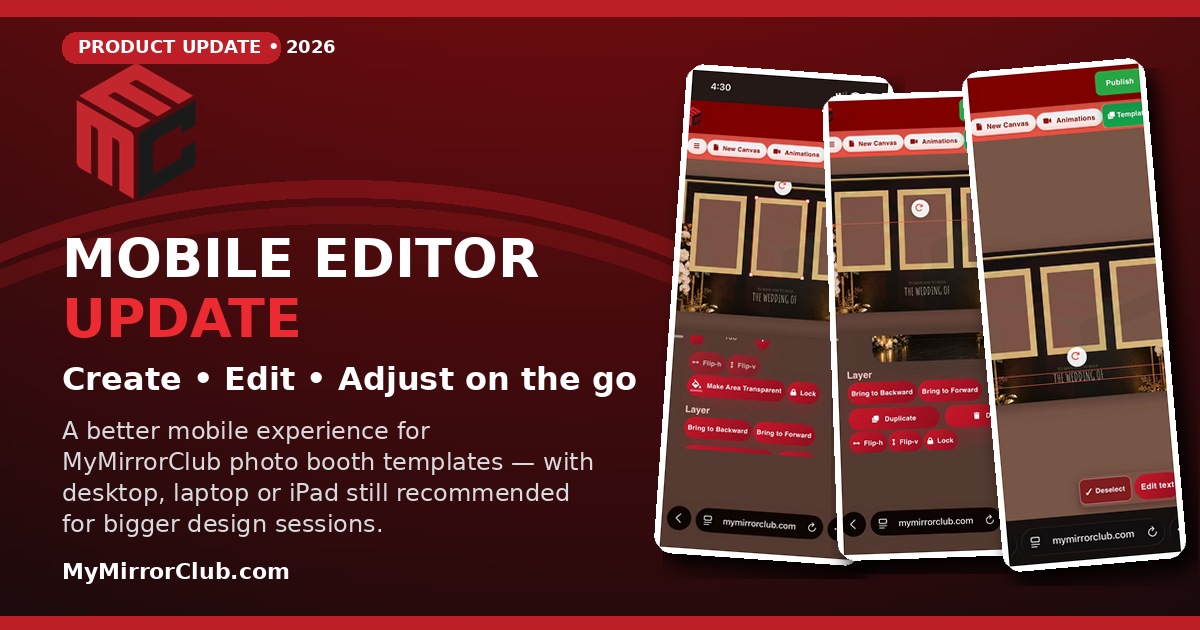
MyMirrorClub's mobile photo booth template editor now makes it easier to load, edit, resize and adjust templates directly from your phone while you are on the go. The mobile experience has been redesigned around a larger working canvas, touch-friendly controls and faster layer switching — while still keeping the full power of the editor available when you need it.
A Mobile Editor Designed Around the Canvas
One of the biggest changes is simple: the template itself now gets priority on a phone screen. Instead of trying to squeeze a desktop-sized workspace into a narrow browser, MyMirrorClub uses a mobile-focused layout that keeps the canvas as large and visible as possible.
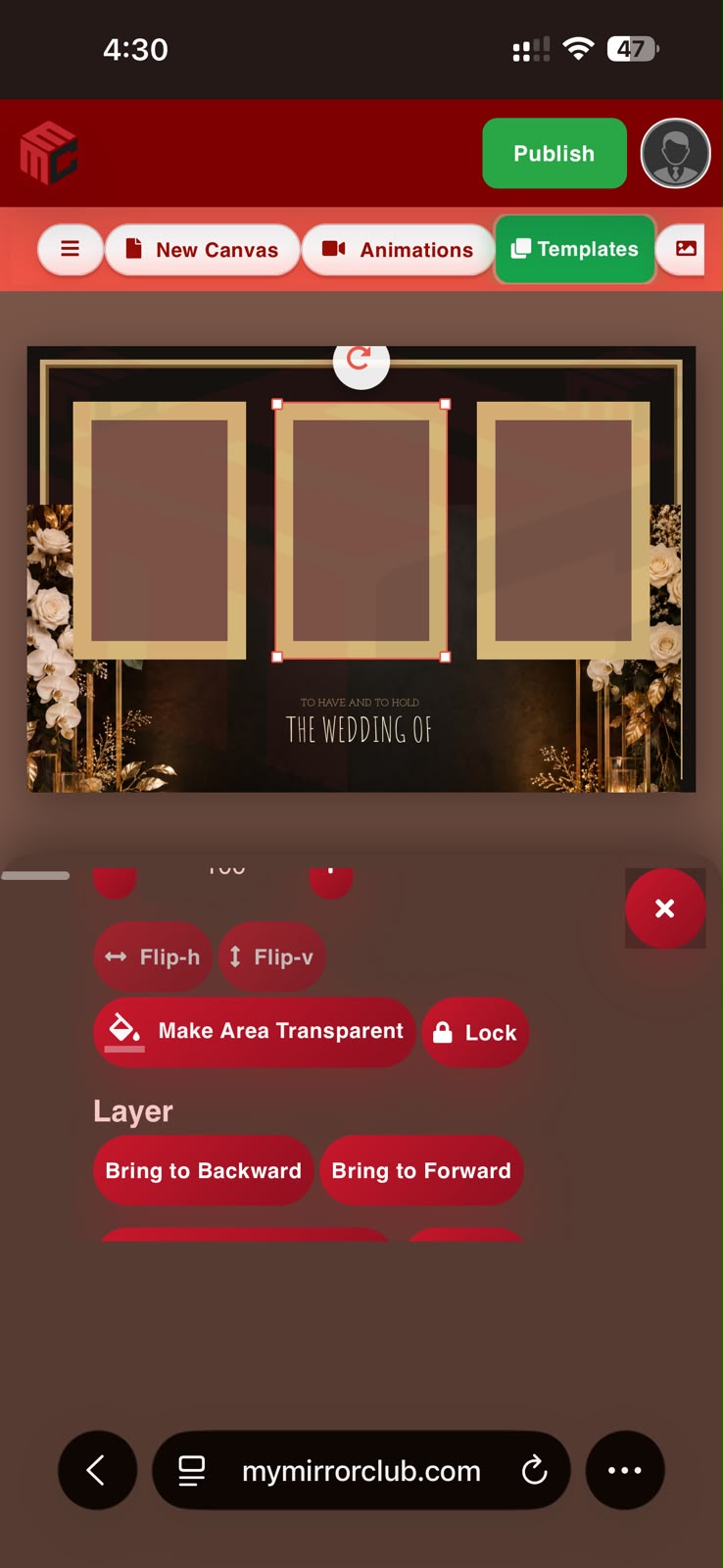
Editing panels are designed to stay out of the way of the template. When you edit an image, shape or text layer, the controls appear in a compact mobile panel while the design remains visible above it. That means you can actually see the result while changing font size, alignment, opacity, layer order or other settings.
What You Can Do from Your Phone
The goal of the mobile update is not to turn a phone into a desktop workstation. It is to make the editor genuinely useful when a phone is what you have available.
- Load photo booth templates from the MyMirrorClub template library.
- Select and move image, text and shape layers directly on the canvas.
- Resize and rotate elements with larger touch-friendly handles.
- Edit text, including font family, size, line height and alignment.
- Adjust image and shape properties such as opacity, borders and transparency.
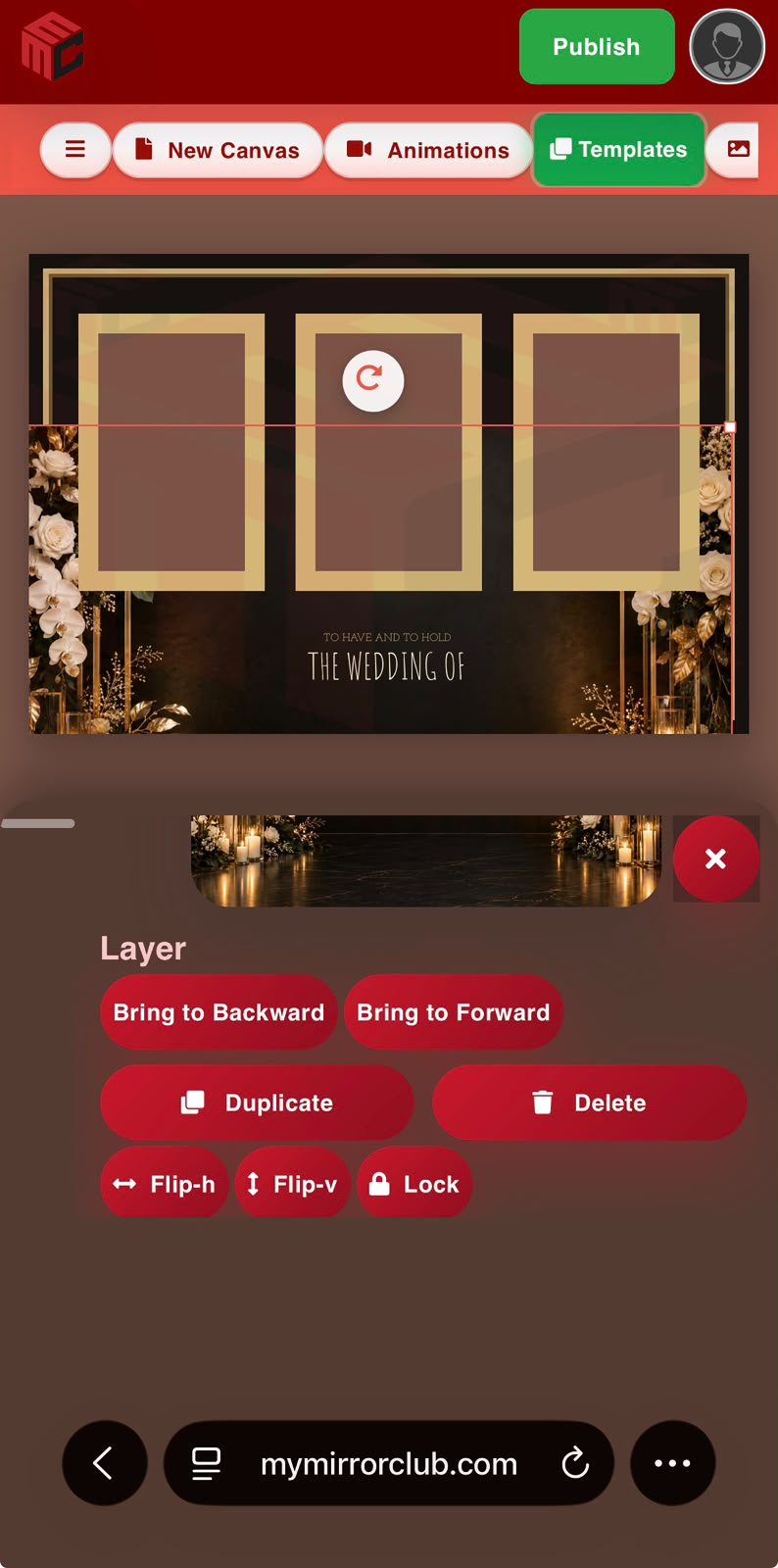
- Change layer order by moving objects forward or backward.
- Duplicate, flip, lock and delete layers using mobile-sized controls.
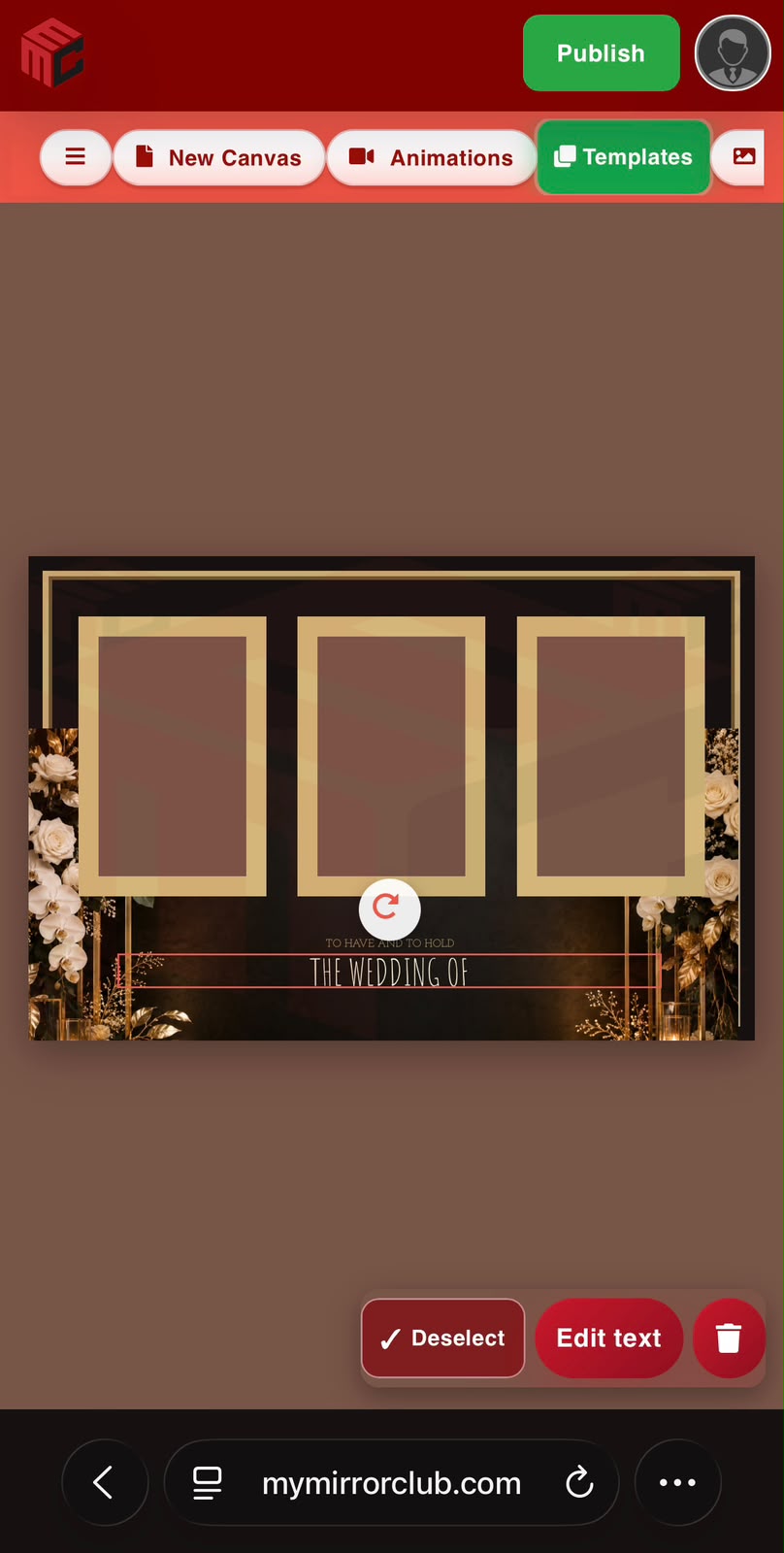
- Deselect the current layer so you can quickly switch to another object without getting trapped behind a large selected image.
- Open templates, images and animation tools from a horizontal touch-friendly toolbar.
- Publish when your design is ready without having to return to a desktop just for the final step.
Why We Still Recommend a Laptop, Desktop or iPad
MyMirrorClub is a full design editor, not a simple one-button template app. A single photo booth design can include multiple image areas, backgrounds, text, decorative layers, shapes, borders, animations and other editable elements. All of that power still exists when you open the editor on a phone — but a larger screen naturally gives you more precision and more room to see multiple controls at once.
If you are building a template from scratch, making detailed layer adjustments, creating animations or spending a longer period designing, a laptop or desktop remains the best experience. An iPad can also be an excellent middle ground because you get touch controls with significantly more screen space.
Mobile is ideal when you need to make a quick change at an event, correct a name, adjust a photo area, move a layer, load a different template or finish something when your main computer is not nearby.
Better Layer Switching on Touch Screens
Layer selection is especially important on a phone because a large image can cover much of the template. The updated mobile workflow includes a dedicated Deselect control. Once an object is deselected, its resize handles clear and you can tap another visible image, text or shape layer.
This sounds like a small detail, but it makes a major difference when editing a multi-layer photo booth template on a touch screen. You are no longer forced to fight with the currently selected object just to reach something underneath or nearby.
See Changes While You Edit
Another focus of the mobile improvements was keeping the design visible while editing properties. When you change text settings or image controls, the canvas remains above the mobile panel so you can see the design update in real time.
For example, if the event name is positioned near the bottom of a wedding template, you can select the text, open its controls and still see the actual wording on the template while adjusting the font or alignment.
Designed for Photo Booth Operators Who Are Actually on the Move
Photo booth professionals are rarely sitting at a desk all day. You may be at a venue, traveling to an event, preparing equipment or responding to a last-minute client request. Being able to open the MyMirrorClub editor from a phone gives you another way to keep a project moving.
You can browse photo booth templates, make a quick adjustment, work with your design layers and continue the same workflow without needing a separate simplified mobile editor.
Use your phone for quick edits and on-the-go changes. Use an iPad, laptop or desktop when you want maximum precision and workspace. Either way, you are working with the same MyMirrorClub template ecosystem.
Mobile Editing Will Keep Improving
This mobile update is part of an ongoing effort to make MyMirrorClub easier to use wherever photo booth operators are working. We will continue refining touch controls, workspace visibility and mobile navigation while preserving the full editor experience that members rely on.
If you have not tried the updated mobile editor yet, open MyMirrorClub from your phone and load one of your templates. Even if your primary design workflow stays on a larger screen, having a capable mobile option can be extremely useful when you need it.
FAQ: Can I create or edit a photo booth template on my phone?
Yes. The updated MyMirrorClub mobile editor lets you load templates and work with image, text and shape layers from a phone. You can move, resize, rotate, edit and manage layers using touch-friendly controls.
FAQ: Should I use a phone for all of my photo booth design work?
For quick changes and on-the-go editing, a phone can work very well. For detailed template creation, long editing sessions or complex multi-layer designs, we recommend a laptop, desktop computer or iPad for the extra screen space and precision.
FAQ: Can I switch between layers on mobile?
Yes. The mobile editor includes a Deselect control so you can clear the current selection and tap another image, text or shape layer. This is especially useful when a large selected image covers much of the canvas.
Ready to try it? Open the MyMirrorClub editor, choose a design from the template library, and see how the updated mobile workflow fits into your photo booth business.