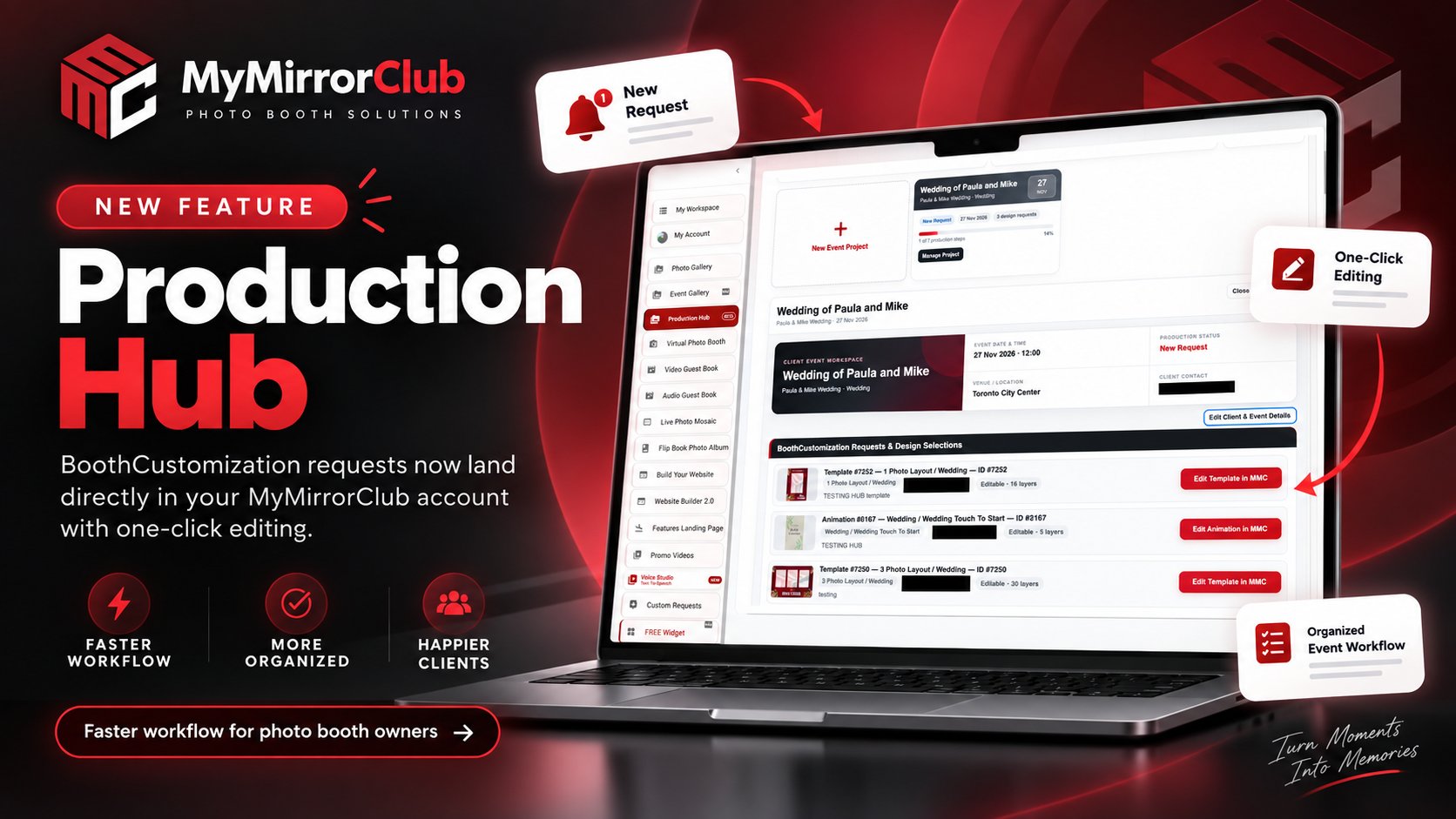
MyMirrorClub Production Hub connects the free BoothCustomization.com photo booth customization widget with client template and animation requests, editing, proof approval, final files and event preparation in one practical workflow. Instead of searching through emails, trying to remember which design belongs to which booking, or reopening the original library asset every time a client asks for a change, the Hub keeps the production job organized around one Event Project.
The workflow now goes from client request → automatic project routing → Edit in MMC → My Workspace working copy → Client Proof → approval or revisions → Final Files ZIP → Event Preflight → 100% Ready.
From a client customization request to one organized Event Project
A booth owner can use BoothCustomization.com to let clients select photo booth templates and animations and submit customization notes. The normal request email still sends, but the same request can also arrive automatically inside MyMirrorClub Production Hub.
Important: the email used as the BoothCustomization widget owner email must match the email on the booth owner’s MyMirrorClub account. That owner email controls which Production Hub receives the request. The client email and Booking ID/reference are separate values used to match the request to the correct event.
Smart request routing reduces manual sorting
When a new request arrives, Production Hub tries to attach it to the right active Event Project without guessing. An exact Booking ID or reference can match the request automatically. A client email can also match automatically when there is only one active project using that email.
If the same email or reference could belong to more than one active project, the request remains in Incoming BoothCustomization Requests so the booth owner can choose the correct project manually. Completed projects are not allowed to steal new requests. This keeps automation useful without making risky assumptions.
The actual requested MMC asset opens directly in the Editor
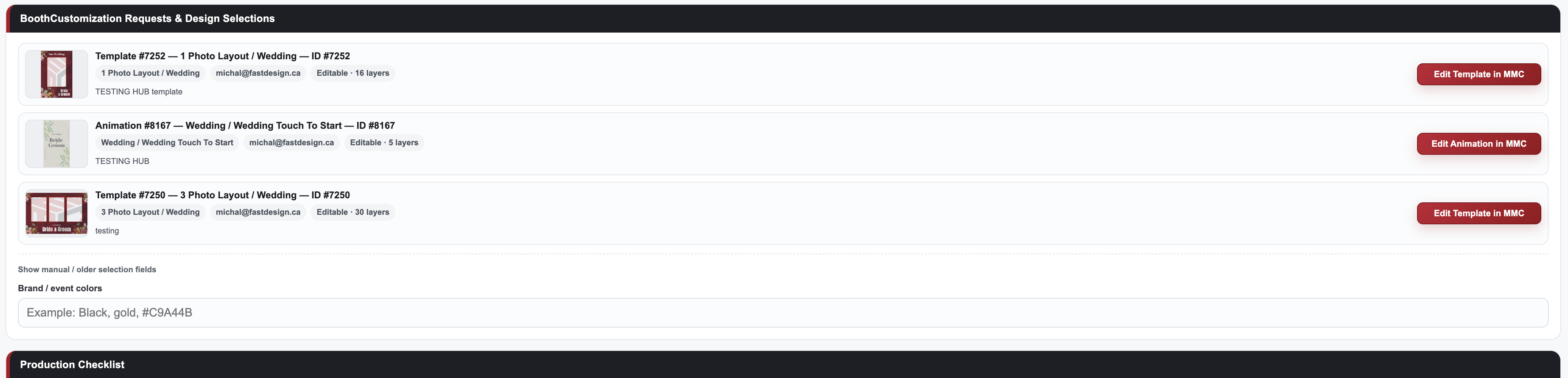
Incoming requests include the real MyMirrorClub asset ID, thumbnail, client notes and asset type. Production Hub also detects the editable layer count of the requested template or animation.
Click Edit in MMC and MyMirrorClub opens the original layered library asset in the Editor. Templates can contain full editable layer structures, while some animations may contain only one or two editable layers; Production Hub preserves whatever editable structure the original asset actually has.
Publish once, then Continue Editing the customized working copy
After the booth owner makes the requested changes and publishes normally, MyMirrorClub automatically links the newly created My Workspace working copy back to the correct Production Hub request. The design becomes Ready automatically and the button changes from Edit in MMC to Continue Editing.
Continue Editing opens the customized Workspace project instead of importing the untouched library master again. That means names, colors, logos, layout changes and other client-specific edits remain available for the next revision.
Do not delete Hub-linked customized projects from My Workspace. Production Hub intentionally depends on those saved working copies for Continue Editing and future client revisions.
Production progress is counted by the number of requested designs
If a client requests four designs, Production Hub tracks four individual production items. Publishing the working copy for each requested template or animation marks that specific design Ready. The checklist therefore reflects the real job instead of using one generic “design complete” checkbox.
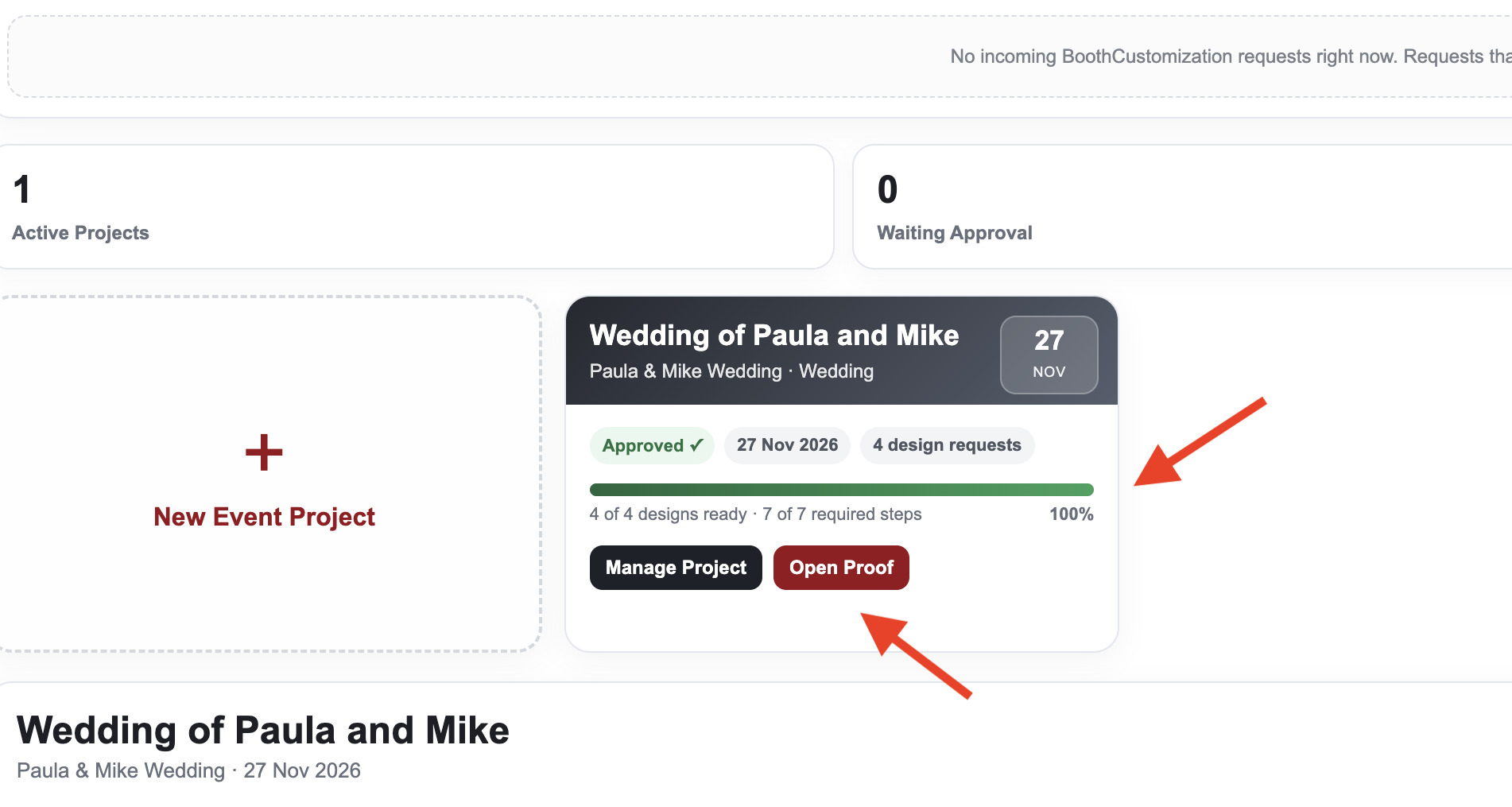
The project card shows the number of requested designs, required completion steps and overall percentage. When every required step is complete, the progress bar switches from MyMirrorClub red to green at 100%, making the event-ready state immediately visible.
Client Proof & Approval is built into the workflow
Once the requested designs are ready, the booth owner can create a private Client Proof. The proof is white-label through BoothCustomization.com with only small Powered by MyMirrorClub branding, so the client sees a clean review experience without needing a MyMirrorClub login.
Clients review each customized template or animation individually. They can Approve a design or Request Changes. Production Hub silently syncs those responses back to the Event Project. The project card also provides an Open Proof button after a proof exists, so the owner does not need to dig through the expanded project to find the link.
If changes are requested, the owner uses Continue Editing, updates the existing working copy and publishes the revision. The same proof remains associated with the request. Once a revision is approved, that approved revision is locked from additional change requests.
Final Files ZIP packages the approved published outputs
After all proof designs are approved, Production Hub can create a Final Files ZIP from the latest approved published My Workspace outputs. The ZIP contains the real final PNG, JPG, GIF, MP4, MOV or other supported published output—not proof screenshots.
The Final Files step is automatic: successfully preparing the package marks Final files ready ✓. If a newer revision is published or approval is no longer complete, the old final state is cleared so an outdated package is not treated as the finished delivery.
Event Preflight can automatically complete the equipment step
Event Preflight is a separate MyMirrorClub feature for equipment, setup and event-day preparation. It can be used on its own, or optionally linked to a Production Hub Event Project.
When a linked Event Preflight reaches Ready to Go ✓ / 100%, Production Hub automatically marks Equipment / event preflight checked. If the linked checklist later drops below 100%, that Production Hub step clears automatically as well.
This keeps the two features separate while allowing them to work together when the booth owner wants one connected event workflow.
Event Gallery is optional
MyMirrorClub offers many separate event tools, including Event Gallery, Virtual Photo Booth, Video Guest Book, Audio Guest Book, Live Photo Mosaic and more. Production Hub does not require one optional feature simply because it exists.
An Event Gallery can still be linked to an Event Project for convenience, but it does not count toward Production Hub readiness and does not block 100% completion.
Listen to the Production Hub Audio Tutorial
Production Hub includes a Tutorial (Audio) button directly inside the Hub. The beginner-friendly walkthrough explains the complete workflow from incoming BoothCustomization requests through editing, publishing, proof approval and production readiness.
Production Hub — Audio Tutorial
A practical photo booth production workflow
The goal of Production Hub is not to replace every MyMirrorClub feature. It is to solve the part of a photo booth job that becomes difficult when client design requests, editable assets, revisions, approvals and final output files are scattered across different places.
For a typical customization job, the booth owner can now keep the entire design-production path together: the client’s exact request, the requested MMC assets, the editable working copies, proof status, requested revisions, approvals, final downloadable files and optional event-preflight completion.
MyMirrorClub members can open Production Hub from My Account. Photo booth owners who want the client-facing request widget can visit BoothCustomization.com.
FAQ: Does BoothCustomization replace the normal request email?
No. The normal BoothCustomization request email still sends. When the booth owner email matches the MyMirrorClub account email, the request can also enter that owner’s Production Hub automatically.
FAQ: What happens if MyMirrorClub cannot determine the correct Event Project?
The request stays in Incoming BoothCustomization Requests. Production Hub only auto-attaches when it has one unambiguous active-project match, so the owner can manually choose the correct event when necessary.
FAQ: Does Continue Editing reopen the original library template?
No. After the first customized publish, Continue Editing opens the saved My Workspace working copy. The untouched library master is not re-imported for every revision.
FAQ: Can a client request changes after approving a revision?
An approved revision is locked from additional change requests. If a design is still awaiting approval, the client can approve it or request changes through the private proof workflow.
FAQ: Is Event Gallery required for Production Hub to reach 100%?
No. Event Gallery is optional and does not affect Production Hub completion. A booth owner can link a gallery for convenience, but Production Hub readiness is based on the actual design-production, approval, final-files and linked-preflight workflow.